How to Choose the Best Copper CPU Heatsink for Your Computer?
Choosing the right Copper CPU heatsink is crucial for optimal computer performance. As noted by industry expert Dr. Emily Chen, “A well-chosen heatsink can reduce temperatures significantly.” This statement underscores the importance of careful selection.
Copper CPU heatsinks offer superior thermal conductivity compared to aluminum. They dissipate heat efficiently, which is essential for high-performance CPUs. However, not all copper heatsinks are created equal. Factors like design, size, and compatibility with your case play significant roles.
Moreover, weight is a crucial consideration. Some copper heatsinks can be quite heavy, potentially causing stress on the motherboard. Balancing performance and practicality is key. It’s essential to assess your specific needs. Rushing can lead to poor choices and overheating issues. A proper understanding of your system will guide you to the best Copper CPU heatsink decision.
Understanding the Role of a CPU Heatsink in Computer Performance
The CPU heatsink plays a crucial role in a computer's performance. Its primary purpose is to dissipate heat generated by the CPU during intensive tasks. Overheating can lead to thermal throttling, where the CPU reduces its speed to cool down. According to industry reports, optimal cooling can improve performance by 10% to 25% under load. Maintaining a lower temperature is essential for longevity and stability.
Choosing the right heatsink isn't just about the material. Copper heatsinks, known for their thermal conductivity, often outperform aluminum options. Many high-performance systems now prefer a copper base due to its efficiency. Data shows that a well-designed copper heatsink can reduce temperatures by up to 20 degrees Celsius compared to lower-end models. However, these solutions sometimes come with increased weight and size, which can complicate installation.
In real-world scenarios, not all users notice a significant difference in everyday tasks. Some may question if a premium heatsink is worth the investment. It's important to evaluate your usage patterns. For gamers or content creators, the benefits are more pronounced. Regular users may not experience a substantial impact. Balancing performance and cost is essential for every build. Understanding these factors will help you make a more informed decision.
Factors to Consider When Selecting a Copper Heatsink
Choosing a copper CPU heatsink involves critical factors. The thermal conductivity of copper is approximately 401 W/m·K. This ensures effective heat transfer from the CPU to the heatsink. High-quality copper heatsinks often outperform aluminum variants in cooling efficiency. However, weight can be a drawback. Heatsinks made entirely of copper can be heavy, affecting PC build balance.
Consider thermal resistance, an essential metric when selecting a heatsink. Lower thermal resistance values indicate better heat dissipation. Aim for a thermal resistance of less than 0.5 °C/W for optimal performance. A well-designed heatsink can significantly lower CPU temperatures, enhancing system stability. Fan compatibility is crucial too. Choose a heatsink with fans that match your motherboard slots.
Another important factor is airflow. A heatsink can only perform well if it has sufficient airflow. Measure the available space in your case to ensure proper fit. Heat sink fins should allow air to circulate freely. Noisy fans can also be a concern. Strive for a balance between performance and sound levels. Check decibel ratings when making your choice.
Factors Influencing Copper CPU Heatsink Performance
Comparison of Copper Heatsinks vs. Other Materials
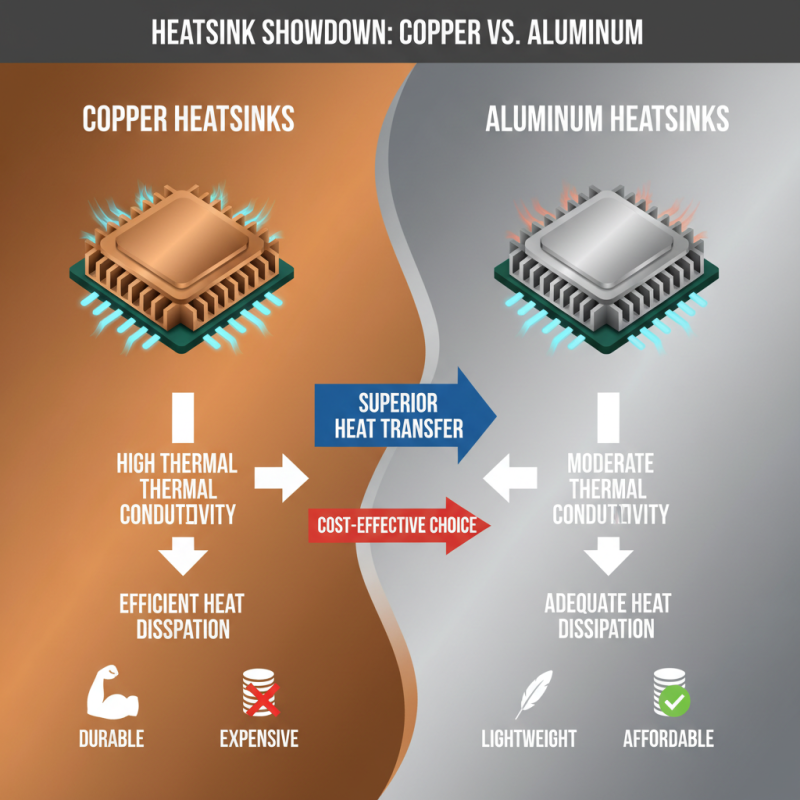
When comparing copper heatsinks to others, it’s clear copper has unique advantages. Copper excels in thermal conductivity. This allows for efficient heat dissipation from your CPU. In contrast, aluminum solves problems too, but not as effectively. It’s lightweight and less expensive, yet struggles with high heat transfer.
Some users may find aluminum heatsinks adequate for basic tasks. However, for gaming or heavy computing, copper is usually superior. It cools rapidly, allowing your CPU to perform better. A well-cooled system can extend hardware lifespan. Still, copper heatsinks can be heavier and pricier, which might lead to trade-offs.
Tips for choosing one: Always check your case's weight limits. Make sure your motherboard supports the chosen heatsink. Also, consider the noise; larger fans can help reduce it. Balance cooling efficiency with physical constraints. It’s a juggling act that needs careful thought.
Installation Tips for Your Copper CPU Heatsink
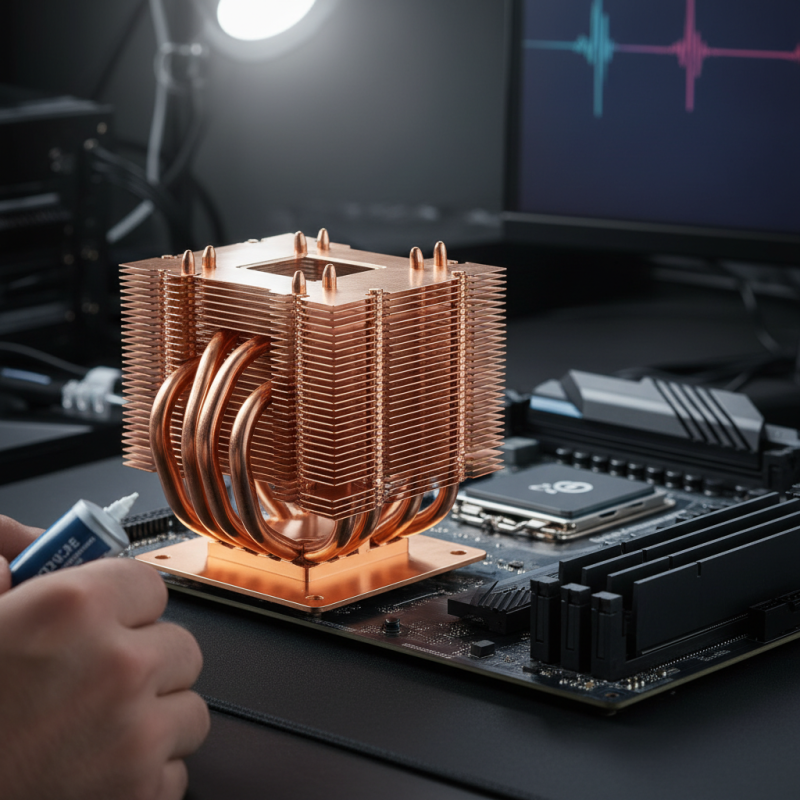
Installing a copper CPU heatsink requires care and precision. Start with a clean CPU surface. Use isopropyl alcohol to remove old thermal paste. Make sure the CPU is dry before applying new paste. A small amount is all you need. Too much can cause mess and inefficiency.
When placing the heatsink, align it correctly. Pay attention to the clips or screws that secure it in place. Inconsistent pressure can lead to overheating. It is important to ensure the heatsink sits flat against the CPU. A poor fit can result in increased temperatures.
After installation, monitor your CPU temperatures closely. If they are unusually high, the heatsink might not be making good contact. Consider reapplying the thermal paste or adjusting the heatsink. Remember, installation can involve a bit of trial and error. Take your time and don’t rush through the process.
How to Choose the Best Copper CPU Heatsink for Your Computer? - Installation Tips for Your Copper CPU Heatsink
| Criterion |
Recommendation |
Installation Tips |
| Size |
Ensure it fits your case and CPU socket |
Measure the space before purchasing |
| Weight |
Choose a manageable weight to avoid stress on the CPU |
Consider support brackets if it's heavy |
| Cooling Performance |
Look for high thermal conductivity |
Apply thermal paste correctly for best heat transfer |
| Noise Level |
Select a model with a low noise fan |
Test fan speed settings during installation |
| Compatibility |
Check for CPU socket compatibility |
Review motherboards specs before choosing |
| Cost |
Balance between performance and price |
Consider all costs, including installation |
Maintenance and Care for Optimal Heatsink Efficiency
Proper maintenance of your copper CPU heatsink is essential for optimal performance. Dust and debris can accumulate easily, reducing its efficiency. Regularly inspect the heatsink for any signs of dust buildup. A soft brush or compressed air can effectively remove particles. Be gentle to avoid damaging the delicate fins.
Another area to focus on is thermal paste replacement. Over time, thermal paste can dry out and lose its effectiveness. It's important to clean the old paste thoroughly before applying a new layer. The right amount of paste ensures maximum heat transfer. Too much can cause overheating, while too little may not provide adequate coverage.
Check the installation of the heatsink periodically. Loose screws or misalignments can lead to increased temperatures. Ensure everything is secure. If you notice any performance drop, consider re-checking all connections. Regular care can prolong the lifespan of both the heatsink and the CPU, leading to a more efficient computer system.







 Mr. Perry Wu International Sales Director