How to Choose the Best Liquid Cooler for Your Gaming PC?
Choosing the right Liquid Cooler for your gaming PC is crucial. Expert Thomas Hale, a renowned cooling specialist, once said, "A good cooler elevates gaming experiences." With numerous options available, finding the best fit can be overwhelming.
Liquid Coolers provide efficient temperature management. They help reduce overheating during intense gaming sessions. Many gamers overlook their importance. A poorly chosen cooler can lead to thermal throttling or even hardware failure.
When selecting a Liquid Cooler, consider compatibility and noise levels. Aesthetic design also matters; it can enhance your build. Reflect on your specific needs. Not all coolers are created equal. Understanding the differences is key to making a wise choice.
Understanding Liquid Cooling Systems and Their Benefits
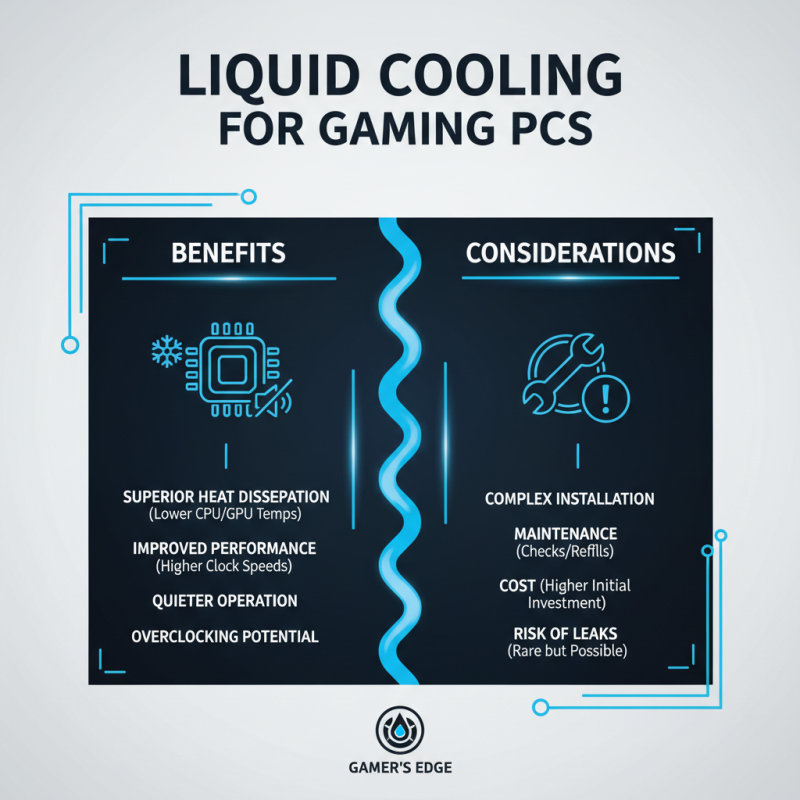
Liquid cooling systems are an effective way to dissipate heat from a gaming PC. These systems use a liquid coolant that circulates through tubes and cools the CPU and GPU. This can lead to improved performance and quieter operation compared to traditional air coolers. Liquid cooling can be particularly beneficial for overclockers seeking maximum performance. However, the installation process can be complex.
Maintaining a liquid cooling system is essential for optimal performance. Users may face issues like pump failure or coolant evaporation over time. Regular checks can prevent major problems later. Furthermore, liquid coolers often require a closed loop or open loop system. Each option has its own benefits and challenges. A closed-loop system is easier to install, while an open-loop system allows for more customization.
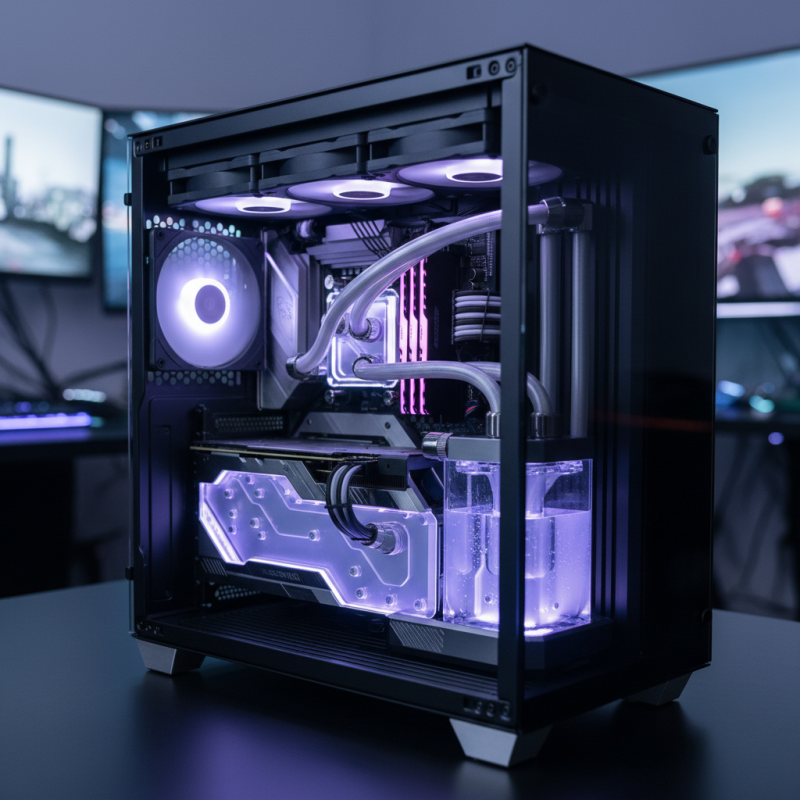
Choosing a liquid cooler is not only about performance. Consider the aesthetics, too. Some systems come with RGB lighting, enhancing your gaming setup's visual appeal. However, investing more money doesn't always equal a better experience. Evaluate your needs carefully and always seek balance between performance and cost. This can help in making a more informed decision.
Factors to Consider When Choosing a Liquid Cooler for Gaming PCs
When choosing a liquid cooler for your gaming PC, several factors deserve attention. Cooling efficiency is paramount. According to a report by PC Gaming Hardware, a well-chosen liquid cooler can keep CPU temperatures low during intense gaming sessions, sometimes by up to 30% compared to air coolers. This can boost performance and prolong component life.
Next, consider the noise levels. Liquid coolers usually operate quieter than traditional coolers. However, not all models maintain this benefit. Some can produce annoying sounds under high load. An analysis from Tech Insights shows that a cooler with a noise level below 30 dB can enhance your gaming experience significantly.
Compatibility with your case is another critical aspect. Popular cases have limited space for coolers. Ensure your chosen liquid cooler fits well without obstructing other components. While many coolers are designed to be versatile, dimensions can still lead to mismatches. Always double-check before making a purchase.
How to Choose the Best Liquid Cooler for Your Gaming PC? - Factors to Consider When Choosing a Liquid Cooler for Gaming PCs
| Cooling Type |
Radiator Size (mm) |
Fan Size (mm) |
Noise Level (dBA) |
Price Range ($) |
| All-In-One (AIO) |
240 |
120 |
30 |
80 - 150 |
| Custom Loop |
360 |
140 |
25 |
150 - 300 |
| All-In-One (AIO) |
120 |
120 |
35 |
50 - 100 |
| All-In-One (AIO) |
280 |
140 |
28 |
90 - 160 |
| Custom Loop |
480 |
120 |
22 |
250 - 500 |
Types of Liquid Coolers: A Comprehensive Comparison
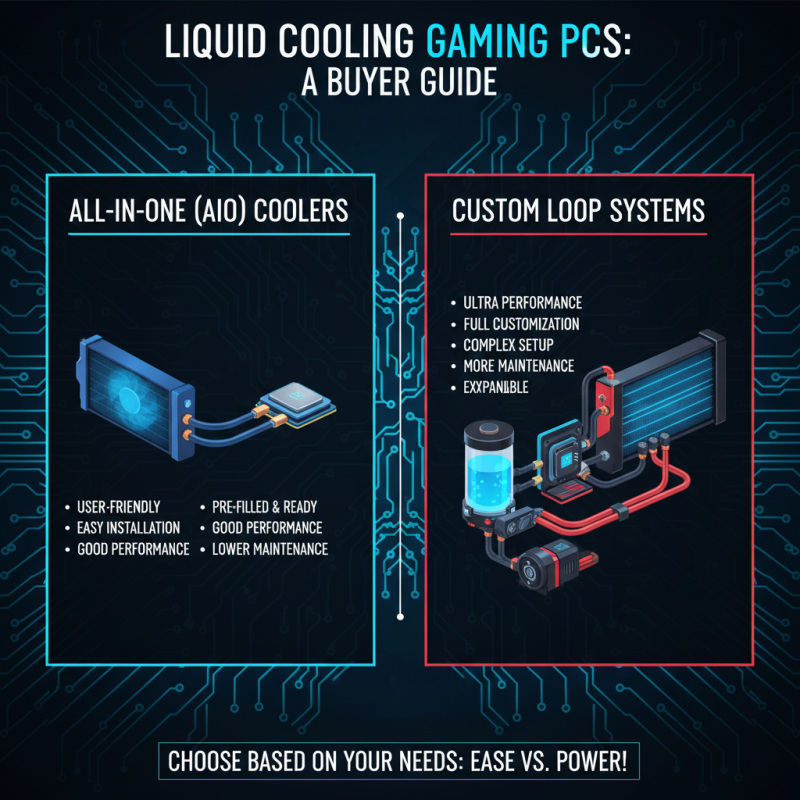
Liquid cooling systems are essential for high-performance gaming PCs. There are several types of liquid coolers to consider. Two main categories are All-in-One (AIO) coolers and custom loop systems. AIO coolers are user-friendly and easy to install. They come pre-filled and ready to go. Custom loop systems, though complex, provide better performance and customization. However, they demand more maintenance.
When choosing a liquid cooler, think about your specific needs. AIO coolers work well for most gamers. They require less setup time. Conversely, custom loops allow for intricate designs and higher performance. You might hesitate on the maintenance. It's a crucial factor to weigh.
Tip: Always check compatibility with your case. Some coolers may not fit all setups. Another tip is to consider noise levels. High-performance fans can be loud. Aim for a balance between cooling and sound. These details matter greatly for a smooth gaming experience.
Installation Process: How to Properly Set Up Your Liquid Cooler
Installing a liquid cooler in your gaming PC can be rewarding, but it requires careful planning. Start by preparing your workspace. Ensure you have all necessary tools, such as a screwdriver and thermal paste. This makes the process smoother and less frustrating. Remember, a clean workspace helps avoid losing small parts.
When mounting the cooler, check your CPU socket compatibility. Many coolers come with mounting hardware, but instructions can be vague. Align the cooler correctly. It's easy to make mistakes here. If you misalign it, the cooling efficiency may suffer. Take your time and double-check before tightening screws.
After installation, fill the reservoir with coolant if needed. Monitor for leaks before powering up. This step is crucial; a small leak can cause major damage. Make sure fans spin freely. It's a detail that can easily be overlooked but is essential for optimal performance. Installing a liquid cooler may seem daunting, but with patience, it can enhance your gaming experience.
Liquid Cooler Efficiency Comparison
Maintenance Tips for Ensuring Optimal Performance of Liquid Coolers
Maintaining a liquid cooler is vital for optimal performance. Regularly check the coolant levels. A low coolant level can cause overheating. If you notice a drop in cooling efficiency, refill it promptly. Use the right type of coolant to avoid any issues.
Cleaning is another crucial aspect. Dust can accumulate in the radiator and fans. This buildup reduces airflow and efficiency. Take time to gently clean these components every few months. A soft brush or compressed air can work wonders. Be mindful not to damage the delicate fins.
Monitor temperatures regularly. Unusually high temperatures can indicate a problem. Inspect the pump and fans to ensure they work correctly. Sometimes, a simple restart can fix issues. However, if problems persist, you may need to reconsider your setup. Think about placement and airflow in your PC case. A poorly positioned cooler can lead to inefficiencies. Reflect on these tips to enhance your gaming experience.




 Mr. Perry Wu International Sales Director