Why Choose Liquid Coolers for Your PC Setup?
The choice of cooling solutions in a PC setup can significantly impact performance. Among various options, the Liquid Cooler stands out. These systems offer efficient heat dissipation, ensuring optimal operating temperatures during intense tasks. Many gamers and professionals prefer them for their sleek design and high performance.
Liquid Coolers are often quieter than traditional air coolers. This feature is appealing for those who prioritize a peaceful working environment. However, there are concerns about potential leaks and maintenance. Users must weigh these risks against the cooling benefits they provide. Those who invest in Liquid Coolers should also consider compatibility with their hardware.
Selecting a Liquid Cooler can be an overwhelming task. Many models have different specifications and prices. Research is essential to find one that meets your specific needs. Some may choose less efficient air cooling options out of fear or misinformation. Ultimately, understanding the advantages and drawbacks of Liquid Coolers will help you make an informed decision.
Benefits of Liquid Cooling Over Air Cooling in PC Systems
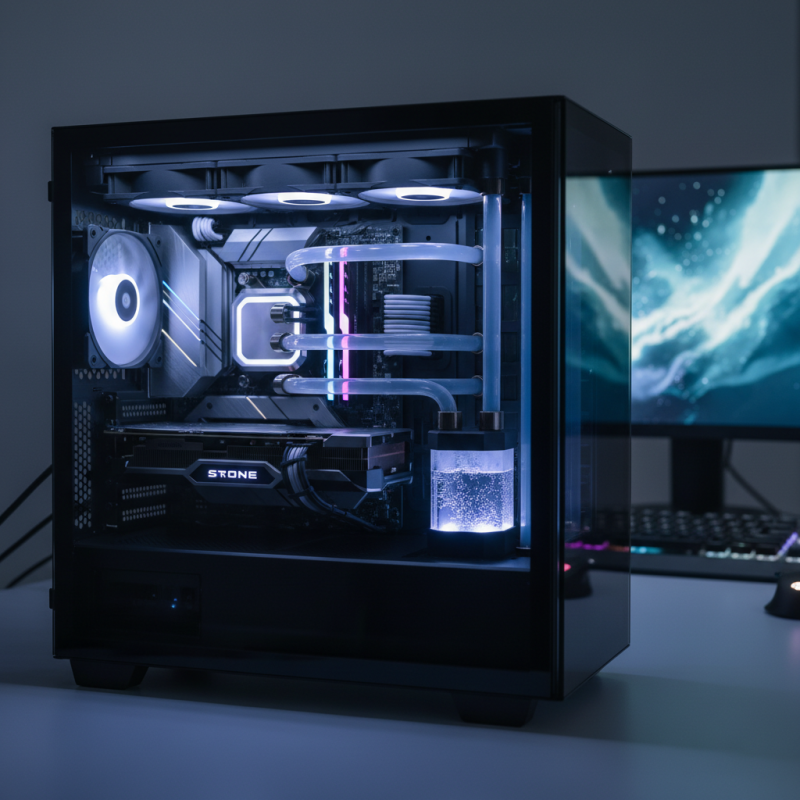
Liquid cooling has become a popular choice for many PC enthusiasts. It offers several advantages over traditional air cooling solutions. Many users appreciate the enhanced thermal performance. Liquid coolers can dissipate heat more efficiently, keeping components at optimal temperatures during intense gaming or processing tasks. This efficiency translates into improved overall system stability and longevity.
Another factor is noise levels. Air coolers often generate more sound due to their fans running at high speeds. Liquid coolers, by contrast, can operate more quietly. Some designs even allow for fan speed customization, reducing noise when full power isn't needed. However, liquid cooling systems can be more complex to install. They require careful setup to avoid leaks, which can be intimidating for beginners.
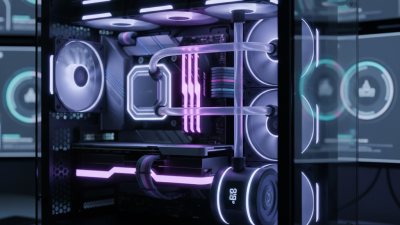
Aesthetics also play a role in the choice for many users. Liquid cooling solutions often look sleek, adding a modern touch to a PC build. RGB lighting options enhance visual appeal. There's a certain satisfaction in seeing coolant moving through tubes. But they can demand more maintenance, such as checking coolant levels and potential evaporative loss. Balancing aesthetics, performance, and ease of maintenance is vital for a well-rounded PC experience.
Key Components of Liquid Cooling Systems for Optimal Performance
Liquid coolers offer significant advantages over traditional air cooling systems. They effectively manage heat, ensuring that critical components operate within optimal temperatures. A liquid cooling system consists of several key components: a pump, a radiator, tubing, and a water block. Each of these elements plays a crucial role in maintaining peak performance.
The pump circulates coolant through the system, allowing for efficient heat transfer. A robust pump ensures a steady flow, preventing hot spots. Radiators dissipate heat from the coolant, so choosing a radiator with adequate surface area is vital. Fans attached to the radiator enhance airflow, increasing cooling efficiency. For best results, you may want to experiment with fan configurations to find the optimal setup for your PC.
When considering these components, pay attention to tubing. Consider the length and material carefully to avoid kinks that may impede coolant flow. Also, remember that aesthetics can matter. Clear tubing can showcase the coolant’s color. Finally, selecting the right water block is crucial. Ensure it fits your CPU model and allow room for adjustments. Each decision affects the overall performance of your liquid cooling system and, ultimately, your gaming or work experience.
Thermal Efficiency: Impact of Liquid Coolers on CPU and GPU Temperatures
Liquid coolers have become popular in PC setups due to their efficiency. They offer better thermal management compared to traditional air coolers. A report from Tom's Hardware suggests that liquid coolers can reduce CPU temperatures by up to 20% during intense gaming sessions. This level of cooling can extend the lifespan of your components.
GPU temperatures also benefit significantly from liquid cooling. Many gamers report reduced thermals by an average of 15 to 30 degrees Celsius when using liquid solutions. This improved cooling allows for better performance and overclocking potential. However, liquid cooling systems require regular maintenance, which some users find tedious. Leaks can occur, impacting performance if not addressed.
While liquid coolers excel in thermal efficiency, they are not without drawbacks. The installation process can be complex for novices. Depending on the setup, space constraints can pose challenges. Some enthusiasts find the noise level of pumps bothersome, especially in quieter environments. Liquid coolers are undoubtedly effective, but potential users must weigh these factors carefully.
Why Choose Liquid Coolers for Your PC Setup?
| Cooling Solution |
CPU Temperature (°C) |
GPU Temperature (°C) |
Noise Level (dB) |
Installation Difficulty |
| Air Cooler |
75 |
80 |
35 |
Medium |
| Single Radiator Liquid Cooler |
65 |
75 |
25 |
Easy |
| Dual Radiator Liquid Cooler |
60 |
70 |
20 |
Medium |
| Custom Loop Liquid Cooler |
55 |
65 |
30 |
Hard |
Noise Reduction: How Liquid Coolers Enhance Overall System Quietness
Liquid coolers have become a popular choice for PC enthusiasts. One of the standout features is noise reduction. Traditional air coolers often generate a significant amount of noise; liquid coolers, in contrast, can operate much more quietly. This is primarily due to their design. They use larger, slower fans, which reduce the high-pitched sounds commonly associated with smaller fans.
Switching to a liquid cooler can transform your gaming experience. The quieter operation allows for a more immersive atmosphere. Many users find this enhanced silence appealing, especially during prolonged sessions. You might even forget your PC is running when it's in silence mode. However, installation can be tricky. Some setups might not fit easily with certain cases or hardware combinations.
**Tip:** Always measure your case space before purchasing a cooler. Also, consider the pump noise, as some models can be surprisingly loud in certain situations.
Another factor to think about is maintenance. While liquid coolers can be quieter, they do require monitoring. Occasionally check for leaks and ensure the pump is functioning correctly. A flawed installation could lead to frustration and noise. Reliability is key, so choose wisely.
**Tip:** Review user feedback on coolant lifespan. Proper maintenance extends the cooling effectiveness and keeps noise levels low.
Comparative Cost Analysis: Liquid Cooling vs. Traditional Air Cooling Methods
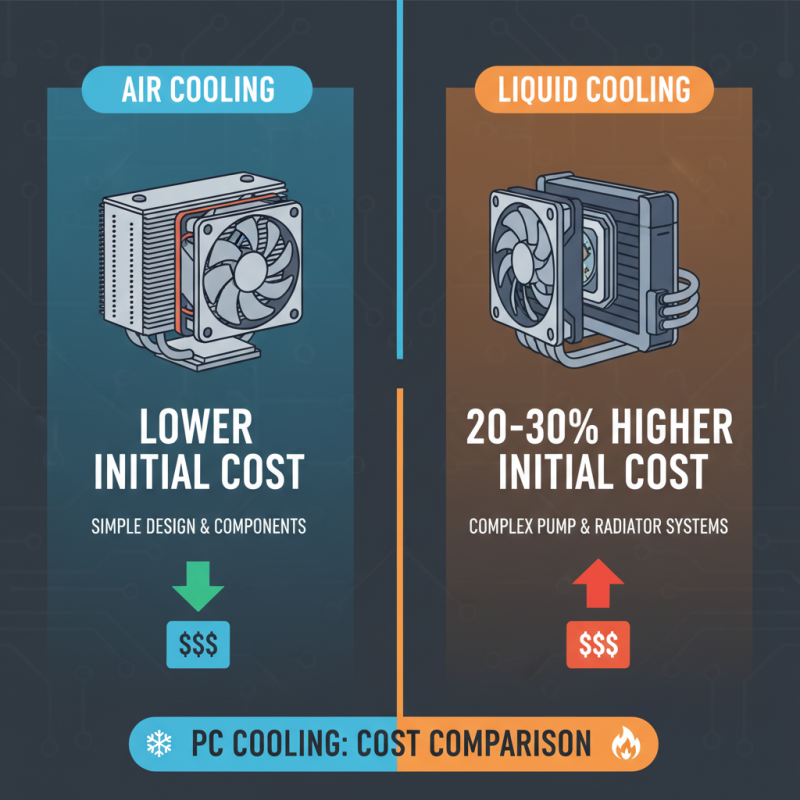
When considering cooling solutions for your PC setup, understanding the cost differences is crucial. A study by the Computer Cooling Association found that liquid cooling systems can initially cost approximately 20% to 30% more than air coolers. This higher upfront investment is due to the complexity of liquid cooling designs and components, such as pumps and radiators. For many enthusiasts, this cost can be a point of concern, especially when budgets are tight.
However, analyzing long-term benefits reveals a different story. Liquid coolers often provide better thermal performance, allowing for more efficient component operation. According to Tech Research Firm, liquid cooling can reduce CPU temperatures by up to 30% compared to air cooling. This reduction can lead to increased longevity of hardware, which might justify the higher initial cost over time.
Despite these advantages, it's worth noting that liquid cooling systems can be prone to leaks and require more maintenance. Air coolers, while generally less efficient, provide reliable performance without the risk of fluid leakage. The decision ultimately comes down to weighing initial costs against performance benefits and potential risks.




 Mr. Perry Wu International Sales Director