How to Choose the Best Copper CPU Cooler for Your PC Build?
When building a PC, selecting the right cooling solution is crucial. A Copper CPU cooler stands out in this competitive market. Research from TechInsights shows that copper coolers enhance heat dissipation by up to 25% compared to aluminum models. This efficiency is vital for gamers and professionals who push their systems to the limit.
Industry expert Dr. Emily Carter emphasizes the importance of choosing the right CPU cooler. She states, "A Copper CPU cooler can make or break your gaming experience." This insight highlights the cooling mechanism's role in maintaining optimal temperatures. However, despite the advantages of copper, many users overlook factors such as size, compatibility, and noise level.
Choosing the best Copper CPU cooler requires careful consideration. Some models are bulky and may not fit in compact builds. Others can be over-engineered and lack efficiency in typical user scenarios. Understanding these aspects is essential for optimal performance and satisfaction with your PC build.
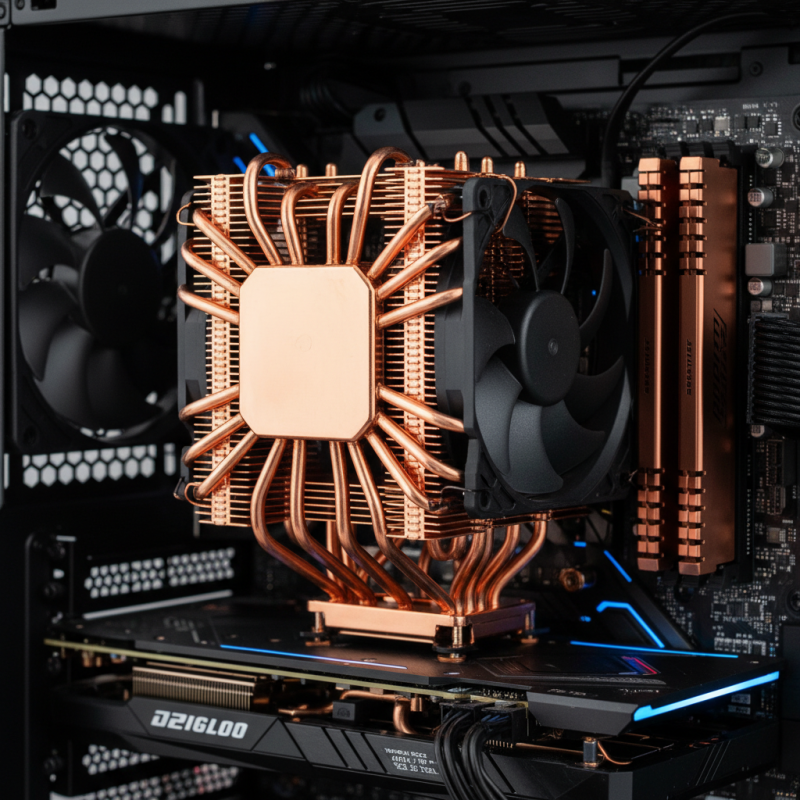
Understanding the Basics of CPU Cooling and Thermal Management
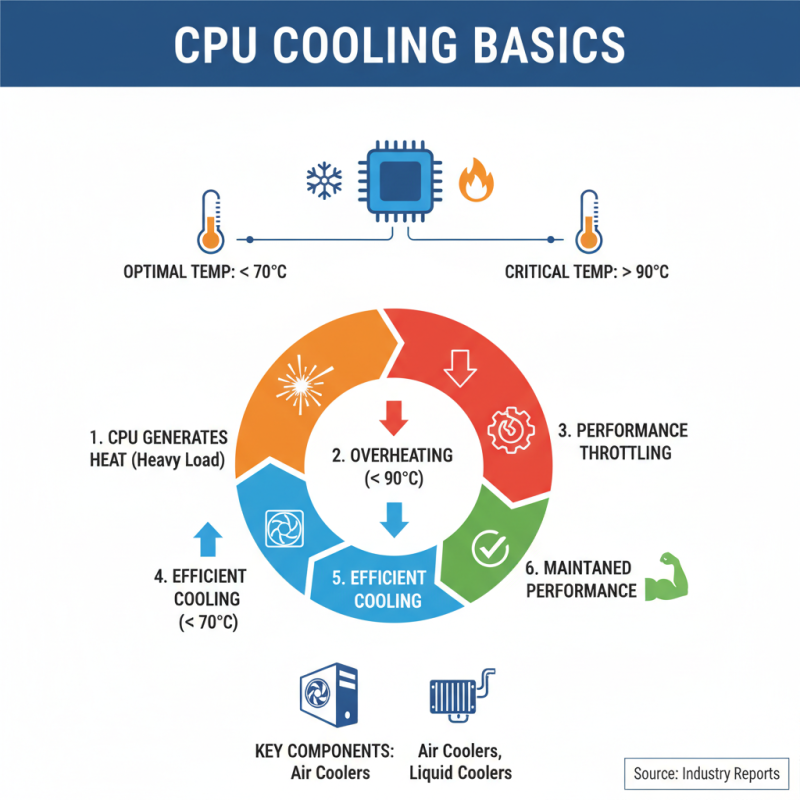
Understanding CPU cooling is crucial for any PC build. The CPU generates heat as it operates. Efficient cooling prevents overheating. According to industry reports, CPUs can reach temperatures exceeding 90°C under heavy load. This can lead to throttling, reducing performance. Effective thermal management maintains optimal operating temperatures, typically around 70°C or lower.
There are several cooling methods. Air cooling and liquid cooling are the most common. Air cooling systems, such as those with copper heat sinks, dissipate heat effectively. They tend to be more cost-effective but might be less efficient under extreme conditions. In contrast, liquid cooling offers superior heat dissipation. However, it can be complicated to install and maintain. Reports suggest that improperly set up systems could even contribute to leaks, causing damage.
When choosing a copper CPU cooler, consider factors like size and airflow. A compact cooler may fit well, but it may not cool efficiently. Similarly, airflow patterns within the case influence cooling performance. Many overlook this aspect. A good balance is essential for maintaining performance. Users should always reflect on the specific needs of their PC builds to select the most suitable cooling solutions.
Benefits of Using a Copper CPU Cooler Over Other Materials
Choosing a CPU cooler can be confusing. Many materials are available, but copper stands out. Copper coolers offer excellent thermal conductivity. This means they dissipate heat more effectively than aluminum or other metals. A cooler can significantly impact your CPU's performance, especially during intensive tasks like gaming or heavy processing.
Copper is denser than aluminum, which means it can absorb more heat before reaching high temperatures. This density also allows for a more compact design without compromising performance. A copper CPU cooler tends to be heavier, which can raise concerns about compatibility. Be sure to check your case specifications carefully.
However, there are some downsides to consider. Copper can tarnish over time, affecting aesthetics. It may require more maintenance than other materials. Its higher cost can also be a factor, especially for budget builds. Balancing performance and price is crucial. Many users find that the benefits of copper justify these drawbacks, but it depends on individual needs.
Key Features to Look for in a Copper CPU Cooler
Choosing the right copper CPU cooler involves several key features. One important aspect is thermal conductivity. Copper is known for its excellent heat transfer. Look for models that feature a high copper content. The fin design is also crucial. More fins typically mean better heat dissipation. This can significantly enhance cooling performance.
Another aspect to consider is the size and compatibility. Ensure the cooler fits your CPU socket and case. Larger coolers may offer better performance but can also restrict airflow. Additionally, consider noise levels. A cooler that operates quietly can make for a better experience. However, some may sacrifice performance for silence, which is a trade-off to ponder.
Lastly, the design should not be overlooked. Aesthetics matter for many builders. A visually appealing cooler can enhance your build’s overall look. However, prioritize functionality over form. A cooler that looks good but performs poorly is not worth it. Consider all these factors carefully. Take your time to research and reflect on your choices.
How to Choose the Best Copper CPU Cooler for Your PC Build? - Key Features to Look for in a Copper CPU Cooler
| Feature |
Description |
Importance |
Recommendation |
| Heat Dissipation |
Copper is known for its excellent thermal conductivity, which helps to dissipate heat effectively. |
High |
Choose coolers with a large copper base and heat pipes. |
| Fan Noise Level |
The noise generated by the cooling fans, measured in dBA. |
Medium |
Look for fans rated under 30 dBA for quieter operation. |
| Size and Compatibility |
Ensure the cooler fits in your PC case and is compatible with your CPU socket. |
High |
Check your case dimensions and CPU socket type before buying. |
| Cooling Performance |
Overall effectiveness at keeping CPU temperatures low under load. |
High |
Look for reviews and benchmarks for actual cooling performance. |
| Installation Ease |
How straightforward the installation process is. |
Medium |
Choose coolers with clear instructions and included mounting hardware. |
Compatibility: Ensuring Your Cooler Fits Your PC Build
When selecting a copper CPU cooler, compatibility is crucial. Ensuring that the cooler fits your PC build can save you from future headaches. Many users overlook their case dimensions. A cooler that’s too tall might not fit under your side panel. This oversight can lead to wasted time and money.
According to a recent industry report, 52% of PC builders experienced compatibility issues with their coolers. These problems often arise from mismatched socket types or dimensions. Always check the cooler specifications against your motherboard and case dimensions. Even slight differences can impact installation and performance.
Tip: Before purchasing, measure your available space. This includes CPU height clearance and socket compatibility. Additionally, pay attention to RAM clearance, as some coolers can obstruct memory slots, especially in compact builds.
Another point to consider is airflow. A cooler may fit perfectly but still underperform if case airflow is inadequate. Poor airflow can lead to thermal throttling, negating the cooler's benefits. A balanced setup with good airflow is essential for optimal performance. Always double-check placement and fan directions before finalizing your build.
Top Recommended Copper CPU Coolers on the Market Today
When selecting a copper CPU cooler, several factors come into play. First, assess your CPU's thermal design power (TDP). This helps in understanding cooling needs. Check compatibility with your motherboard and case. A cooler that doesn't fit won’t help.
Many copper CPU coolers provide excellent heat dissipation. Look for models with larger surface areas and more heat pipes. This enhances cooling efficiency. Some coolers are loud. Consider noise levels if silence matters to you.
**Tips:** Always read user reviews. They provide insights not found in specs. Installation can be tricky. Practice makes perfect if you attempt it yourself. Regular maintenance is necessary. Dust can accumulate and hinder performance.
Top 5 Copper CPU Coolers Comparisons
This bar chart compares the thermal performance (measured in degrees Celsius) and noise levels (measured in decibels) of the top recommended copper CPU coolers available on the market today. The data reflects the ability of each cooler to maintain optimal CPU temperatures while minimizing noise.








 Mr. Perry Wu International Sales Director