How to Choose the Best SSD Heatsink for Optimal Performance?
When selecting the best SSD heatsink, performance is key. Many users overlook the importance of adequate cooling. An SSD heatsink helps maintain optimal temperatures, ensuring better speed and reliability. High temperatures can throttle your drive's performance. When choosing, consider material and design. Copper and aluminum each have unique advantages for heat dissipation.
Not all SSD heatsinks fit every drive. Compatibility is critical to prevent installation issues. Dimensions and mounting methods play a major role. Some heatsinks require specific slots or spacers. Users often underestimate airflow's importance. A well-ventilated case can enhance performance further.
Picking the right SSD heatsink can seem overwhelming. Brands and models abound, each promising better results. Reading reviews and case studies can aid in your choice. However, many users fail to evaluate their unique setups. Reflecting on your specific needs can lead to smarter decisions. Aim for a balance between aesthetics and functionality.
Understanding SSD Thermal Management for Enhanced Performance
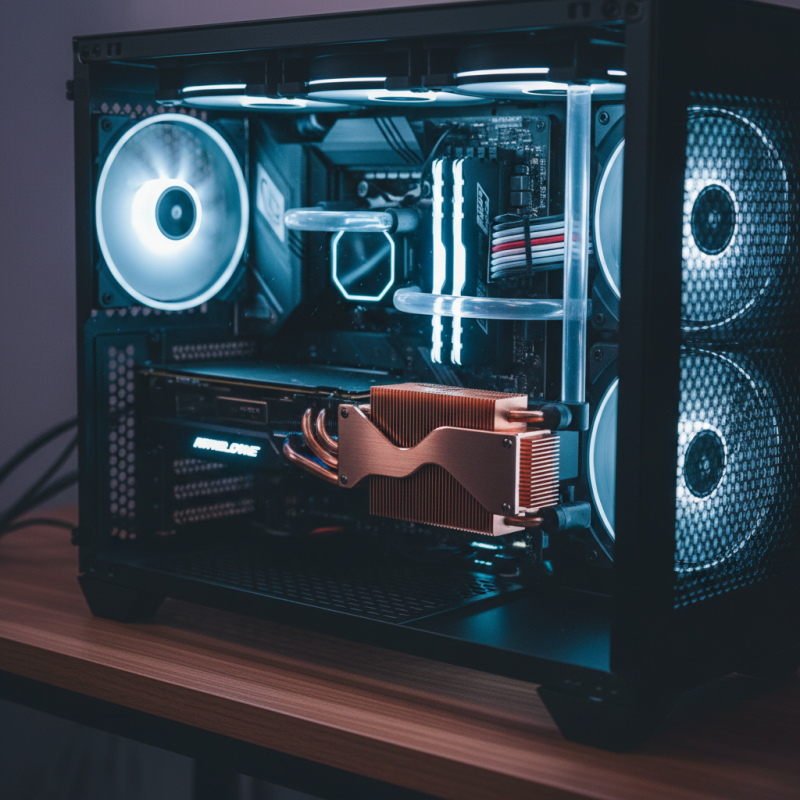
SSD thermal management is crucial for achieving optimal performance. When an SSD gets too hot, it can throttle down, leading to slower data transfer speeds. High temperatures can affect the longevity of the drive. Ensuring that your SSD stays cool is essential for maintaining peak performance.
Many enthusiasts overlook the importance of adequate cooling. It is often assumed that SSDs can handle their own temperatures without any assistance. However, this is not always the case, especially during heavy workloads. Proper thermal solutions, such as heatsinks, can significantly aid in dissipating heat. The right heatsink design contributes to an effective cooling solution, allowing your SSD to operate at its best.
Selecting an appropriate heatsink is a balancing act. You want effective heat dissipation but also need to consider space constraints. Some users find themselves struggling with fitting a large heatsink into their systems. It's often a challenge—finding the right combination of performance and compatibility. Each SSD has unique thermal characteristics. Understanding these nuances will help you make an informed decision.
Key Factors to Consider When Selecting an SSD Heatsink
When selecting an SSD heatsink, there are key factors to consider for optimal performance. First, check the material. Aluminum and copper are popular choices, each with distinct thermal conductivity properties. For instance, copper has superior heat dissipation, but it can be heavier. A balance between weight and performance matters.
Consider the size of the heatsink. It needs to fit within the case while providing enough surface area. A larger heatsink can cool better, but it may obstruct other components. Users often overlook this.
Tips: Measure your SSD and the surrounding area carefully. Extensive cooling can lead to less thermal throttling, improving performance. Choose a heatsink that matches your aesthetic preference, too.
Lastly, thermal pads are essential for efficient heat transfer. Some heatsinks come packaged with thermal interfaces. Ensure they are of low thermal resistance. Too often, users don’t pay attention to this detail. A poor interface can negate cooling benefits.
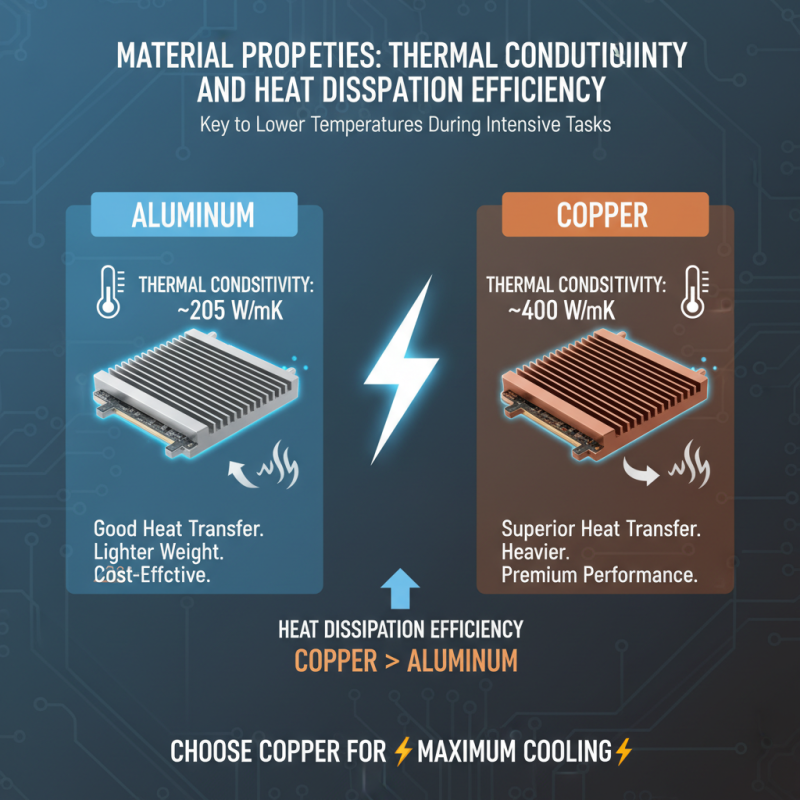
Material Properties: Thermal Conductivity and Heat Dissipation Efficiency
When selecting an SSD heatsink, the material properties are crucial. Thermal conductivity defines how quickly heat transfers from the SSD to the heatsink. Aluminum is a popular choice, with a thermal conductivity of about 205 W/mK. Copper, while heavier, offers even better thermal conductivity at approximately 400 W/mK. This means that a copper heatsink could dissipate heat more efficiently, potentially leading to lower temperatures during intensive tasks.
Heat dissipation efficiency is another key factor. A well-designed heatsink can significantly enhance cooling. The surface area impacts how effectively heat dissipates into the surrounding environment. Reports suggest that heatsinks with a larger surface area can reduce temperatures by as much as 20%. However, not all designs maximize this. Some overlook airflow, which can hinder effectiveness. Inadequate airflow can lead to heat build-up, negating the benefits of a high-quality material.
It's vital to consider how these factors interact. Even the best materials may underperform if improperly designed. Many users may not realize that aesthetics can influence performance. A sleek design might catch the eye, but it could sacrifice efficiency. Balancing form and function is essential. Aim for materials that combine high thermal conductivity with excellent design principles to ensure your SSD runs optimally.
Evaluating Heatsink Size and Compatibility with Your SSD
Choosing the right SSD heatsink is crucial for maintaining optimal performance. Size and compatibility are two key factors. If the heatsink is too large, it may not fit in your case. Conversely, a heatsink that is too small may not provide adequate cooling. A study from Tech Insights indicates that a well-matched heatsink can reduce SSD temperatures by up to 30%. This keeps your SSD performing efficiently, especially during heavy workloads.
When selecting a heatsink, consider your SSD's specifications. Check its length, width, and height. Not all heatsinks are compatible with all SSDs. Some may block other components. It's essential to ensure it fits within the designated space of your motherboard. Overhang can lead to thermal issues.
Tip: Look for heatsinks made from aluminum or copper, as they offer excellent thermal conductivity. They help dissipate heat more effectively. Also, pay attention to the thermal pads included; they should provide proper contact with the SSD surface for best performance.
Another tip: read user reviews for insights on real-world performance. Users often share photos and experiences with specific models. This feedback can highlight potential installation challenges. Remember, it's not just about cooling. Aesthetics and airflow can also impact your overall build. Make informed choices for a balanced system.
The Impact of Heatsink Design on Airflow and Cooling Efficiency
When selecting an SSD heatsink, airflow and cooling efficiency are crucial. A well-designed heatsink promotes better heat dissipation. It is vital to understand how airflow interacts with the heatsink structure. For instance, fins that are spaced correctly can enhance the movement of air.
The materials used in heatsinks also play a role. Some materials may conduct heat better than others, but they might be heavier. Weighty designs can complicate installation. Users should consider balance and space in their setup. Large heatsinks can obstruct nearby components, restricting airflow.
Visualizing the expected airflow is essential. Placing a heatsink at an angle can sometimes yield better results. However, this is not always feasible in tight cases. An ill-fitting heatsink might not only appear out of place but can also trap heat. Reflecting on the interplay between design and functionality is needed for optimal performance.






 Mr. Perry Wu International Sales Director