How to Choose the Right Heatsink Fan for Your PC Build?
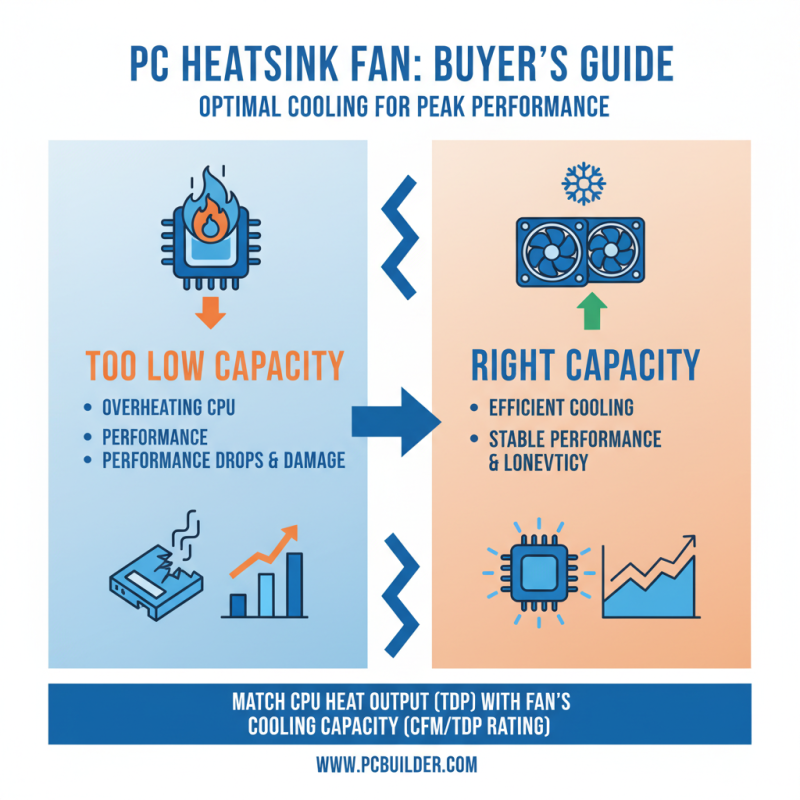
Choosing the right heatsink fan for your PC build is crucial. A good heatsink fan can significantly affect performance and cooling efficiency. Without proper cooling, your components may overheat, leading to decreased performance and potential hardware failures.
When selecting a heatsink fan, consider factors like size, airflow, and noise levels. Fans come in various sizes, and compatibility with your case is essential. Some users may prioritize quieter fans, while others focus on high performance. It can be hard to find the right balance.
Don’t forget about aesthetics. The right heatsink fan can enhance your overall build. However, it’s not just about looks; it’s about functionality. Sometimes, a fan may look great but underperform. The ideal heatsink fan should provide effective cooling while fitting seamlessly into your design vision. Always reflect on your needs and the specifics of your build.
Understanding the Importance of Heatsink Fans in PC Builds
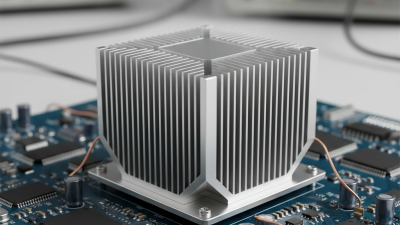
When building a PC, choosing the right heatsink fan is crucial. It affects not just performance, but also the lifespan of your components. Heatsink fans dissipate heat from the CPU or GPU efficiently. A good fan can maintain optimal temperatures and prevent overheating.
Many builders overlook fan size. Larger fans can move more air at lower speeds. This typically results in quieter operation and better cooling. However, they may not fit in compact cases. Measure your space before selecting.
Tips: Always check airflow direction. Proper airflow can significantly impact cooling efficiency. An often neglected aspect is dust accumulation. Regular cleaning can prevent overheating and enhance fan performance. Consider fans with dust filters.
Fan noise can be a concern, especially for quiet builds. Sometimes, lower RPM fans are preferred for silence. But choose wisely; higher RPM fans may offer better cooling under load. Balancing noise and cooling is a challenge worth considering.
Heatsink Fan Efficiency Comparison
This chart compares the thermal efficiency of various heatsink fans based on their airflow (CFM) and noise levels (dBA). As you can see, higher airflow often correlates with increased noise levels, highlighting the importance of balancing performance and sound in your PC build.
Types of Heatsink Fans: Air vs. Liquid Cooling Solutions
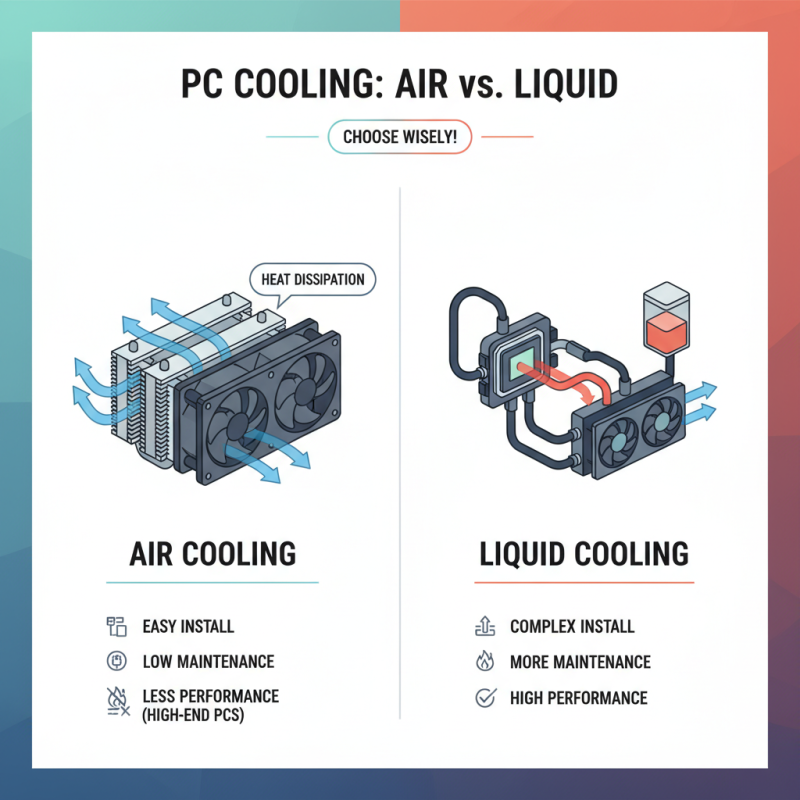
When building a PC, choosing the right heatsink fan is crucial. The two main types are air cooling and liquid cooling. Air cooling is often the go-to choice for many builders. It consists of a heatsink with fans that dissipate heat into the air. This method is typically easier to install and maintain. However, it may struggle in high-performance scenarios.
Liquid cooling offers superior thermal management. This system uses a liquid coolant to absorb heat from the CPU or GPU. It then transfers the heat to a radiator, where fans disperse it. While liquid cooling can effectively manage heat, it requires more effort to install. It also risks leaks, which can damage components. Do you have the skill to install it properly?
Both options have pros and cons. Air cooling is reliable but might not handle overclocking as well. Liquid cooling performs better but comes with complexity. Assess your needs carefully. Consider your PC’s purpose, your budget, and your comfort with installation. The right choice can enhance your build's performance significantly.
Compatibility: Ensuring the Heatsink Fan Fits Your CPU and Case
When selecting a heatsink fan, compatibility is crucial. Ensure the heatsink fits your CPU socket type. There are various socket formats like AM4, LGA1200, and others. A wrong fit could lead to overheating issues. Each heatsink has specific dimensions too. Check your PC case's clearance. Larger heatsinks might not fit in smaller cases, limiting airflow.
Compatibility also involves airflow direction. Most heatsink fans draw air in or push it out. Improper orientation can suffocate your system. An unoptimized airflow can cause hotspots. According to industry data, up to 40% of gaming PCs experience thermal throttling due to airflow issues.
Tip: Measure your space before purchasing. Don’t rely solely on product specs. Keep the CPU's TDP (Thermal Design Power) in mind. A compatible heatsink will effectively manage the CPU's heat output. Tip: Look for user reviews on fit and performance. They often highlight real-world issues not covered in specification sheets. Remember, an ill-fitting heatsink can reduce the performance you expect from your build.
Budgeting: Balancing Performance and Cost in Heatsink Fan Selection
Choosing the right heatsink fan for your PC can be tricky. Budget plays a significant role in this decision. You want a good balance between performance and cost. A high-performing heatsink fan often comes with a higher price tag. However, there are quality options available for those on a budget.
Research is essential. Look into cooling efficiency and noise levels. Some budget models may struggle with heat dissipation. This can lead to increased temperatures, affecting your system's performance. Don't just go for the cheapest option. Read reviews and seek advice from experienced builders.
Consider your budget constraints. Spending a little more can sometimes save you from future headaches. A lower-end fan might save money now, but it may lead to overheating issues later. Reflect on your needs: gaming, video editing, or everyday use will shape your choice. Each use case has its requirements. Always prioritize your system's longevity over short-term savings.
How to Choose the Right Heatsink Fan for Your PC Build? - Budgeting: Balancing Performance and Cost in Heatsink Fan Selection
| Heatsink Fan Type |
Price ($) |
Cooling Performance (W) |
Noise Level (dBA) |
Compatibility |
| Air Cooler |
30 |
150 |
25 |
ATX |
| Tower Cooler |
60 |
200 |
30 |
ATX, MicroATX |
| Liquid Cooler |
120 |
250 |
20 |
ATX, MicroATX, Mini-ITX |
| Low Profile Cooler |
40 |
100 |
25 |
Mini-ITX |
| Passive Cooler |
50 |
75 |
0 |
ATX |





 Mr. Perry Wu International Sales Director